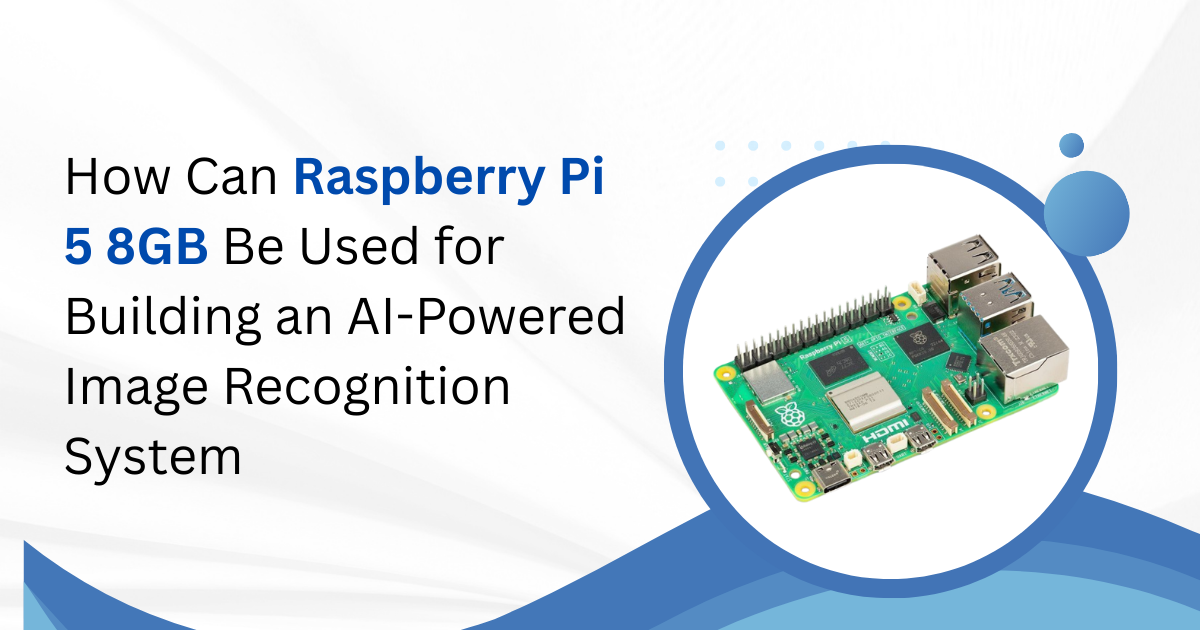
Artificial intelligence (AI) is transforming technology in areas like healthcare, robotics, and smart surveillance. Image recognition, a key AI application, allows computers to identify objects, faces, and patterns. The Raspberry Pi 5 8GB provides a low-cost, energy-efficient platform suitable for building such systems. This article explores how to use the Raspberry Pi 5 for AI-powered image recognition, covering hardware, software, model selection, optimization, and practical applications.
Introduction to Raspberry Pi 5
The Raspberry Pi series has enabled engineers and hobbyists to create advanced projects without expensive hardware. The Raspberry Pi 5 is a significant upgrade over its predecessors. It features a faster processor, improved memory, and better connectivity options. The 8GB variant allows larger AI models to run efficiently.
Key features of Raspberry Pi 5 8GB include:
-
Quad-core ARM Cortex-A76 CPU at 2.4 GHz.
-
8GB LPDDR4X RAM.
-
VideoCore VII GPU.
-
Storage via microSD, USB drives, or NVMe adapters.
-
USB 3.0 ports, Gigabit Ethernet, Wi-Fi 6, Bluetooth 5.0.
-
Power requirement: 5V/3A via USB-C.
What Is Image Recognition?
Image recognition is the process of identifying objects, patterns, or features in images. Basic examples include recognizing cats, dogs, or vehicles. Advanced applications include facial recognition, gesture detection, and object tracking in real time.
Applications include:
-
Home security systems detecting people or motion.
-
Factories identifying defective products on assembly lines.
-
Robotics navigating by recognizing objects.
-
Agricultural monitoring of crops and livestock.
Image recognition systems typically rely on machine learning models trained on large datasets.
Why Use Raspberry Pi 5 8GB for AI?
Earlier, AI tasks required expensive GPUs and servers. Today, the Raspberry Pi 5 can handle inference for many AI tasks, especially with optimization.
Benefits include:
-
Affordable: The board costs under $100, making AI accessible.
-
Sufficient memory: 8GB RAM allows larger models to run without crashing.
-
Multiple connectivity options: USB, Ethernet, and Wi-Fi support cameras and accelerators.
-
Community support: A large community offers tutorials, libraries, and troubleshooting help.
For comparison, a typical cloud GPU instance may cost over $100 per month. A Raspberry Pi-based AI setup can cost less than $300, including camera and accessories.
Essential Components
Building an AI-powered image recognition system requires more than just the board.
1. Hardware
-
Raspberry Pi 5 8GB.
-
Camera module: Raspberry Pi Camera or compatible USB camera.
-
Power supply: 5V/3A USB-C.
-
Storage: 32GB or higher microSD card.
-
Cooling solution: Heatsinks or fans for sustained workloads.
2. Optional Accelerators
For faster inference on complex models:
-
Google Coral USB Accelerator – adds 4 TOPS performance.
-
Intel Neural Compute Stick 2 – supports OpenVINO optimized models.
-
AI HAT boards – designed to attach directly to Raspberry Pi.
Using an accelerator can increase processing speed by five to twenty times compared to the CPU alone.
Model Selection
Choosing the right AI model ensures accuracy and efficiency.
1. Lightweight Models
-
MobileNetV2 – efficient for classification tasks.
-
EfficientDet-Lite – good for real-time detection.
-
SSD (Single Shot Detector) – effective for detecting multiple objects.
Models optimized for edge devices can run efficiently on the Raspberry Pi 5 8GB without lag.
2. Quantization
Quantizing models reduces memory usage and increases inference speed by converting model parameters from floating-point to 8-bit integers. Typical performance improvements include:
| Model Type | Model Size (MB) | Inference Speed (ms/frame) |
| Full FP32 | 25 | 150 |
| Quantized | 6 | 35 |
Training vs. Inference
The Raspberry Pi 5 is ideal for inference but not for model training.
-
Training requires large datasets and powerful GPUs. It is better performed on desktop workstations or cloud servers.
-
Inference involves running a trained model on the Raspberry Pi to identify objects in images or video streams.
A typical workflow:
-
Train model externally.
-
Optimize and quantize the model.
-
Deploy to Raspberry Pi for inference.
Attempting to train on the Pi results in extremely long processing times.
Optimization Techniques
To improve performance:
-
Use quantized models – smaller size and faster inference.
-
Employ hardware accelerators – reduce CPU load and increase frame rates.
-
Lower input resolution – smaller images reduce processing time.
-
Frame skipping – processing every second or third frame saves power and CPU cycles.
With proper optimization, a Raspberry Pi 5 8GB can run real-time detection systems effectively.
Real-World Applications
1. Home Security
AI-enabled cameras integrated with a Raspberry Pi can detect people, pets, or unusual motion. When activity is recognized, the system sends instant alerts or records events, providing homeowners with real-time monitoring and enhanced security without constant manual supervision.
2. Factory Quality Control
Cameras positioned above assembly lines monitor products for defects, such as missing components or scratches. AI-powered analysis allows faster and more accurate detection than human inspection, improving production efficiency, reducing errors, and ensuring consistent quality in manufacturing processes.
3. Wildlife Monitoring
Solar-powered Raspberry Pi setups enable remote wildlife monitoring. AI models identify species, track behavior, and log sightings automatically, allowing researchers to gather valuable ecological data in hard-to-reach areas without constant human presence, minimizing disturbance to natural habitats.
4. Robotics
Robots equipped with AI and camera systems can recognize objects and navigate complex environments. This capability allows robots to interact intelligently with surroundings, perform tasks efficiently, and adapt to dynamic conditions, enhancing automation and operational effectiveness across industries
Limitations
While capable, the Raspberry Pi 5 8GB has constraints:
-
CPU-based processing limits heavy AI workloads.
-
8GB memory may not support very large models.
-
USB-connected accelerators may face bandwidth limitations.
Despite these, careful design and optimization make it a highly functional edge AI platform.
Thermal and Power Considerations
Sustained AI processing generates heat. The Raspberry Pi can throttle under high temperatures.
Recommendations:
-
Use heatsinks or small fans.
-
Monitor temperature regularly.
-
Use a stable 5V/3A power supply to prevent voltage drops.
Typical power consumption under load is 5–7 watts.
Conclusion
The Raspberry Pi 5 8GB offers an affordable, compact, and capable platform for AI-powered image recognition. By selecting the right model, optimizing performance, and optionally using accelerators, developers can achieve real-time detection and classification. The board provides opportunities for projects in home automation, industrial monitoring, wildlife observation, and robotics, all at a fraction of the cost of traditional AI systems.
With the Raspberry Pi 5, AI projects are no longer limited to high-end hardware, making experimentation and deployment more accessible than ever.

 English
 Arabic
 French
 Portuguese
 Deutsch
 Turkish
 Dutch
Dutch
 Italiano
 Russian
 Romaian
 Portuguese (Brazil)
 Greek
Greek