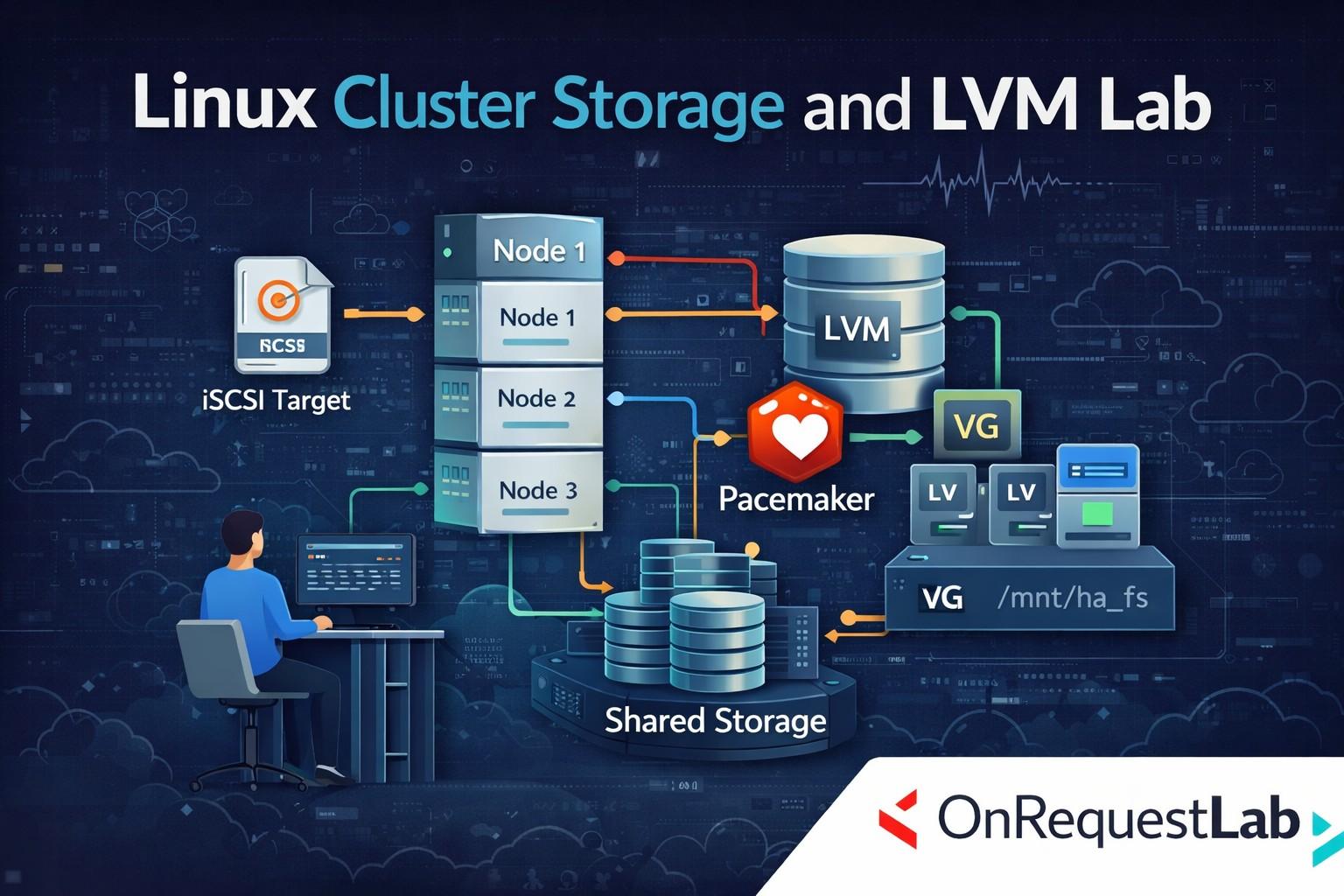
In high availability (HA) environments, storage is just as critical as compute and networking. Even if applications fail over correctly, improper storage handling can lead to data corruption, split-brain scenarios, or complete service outages. A Linux Cluster Storage and LVM Lab is designed to help system administrators and DevOps engineers gain practical, hands-on experience in managing clustered storage safely and effectively in real-world HA setups.
Why Storage Matters in Linux HA Clusters
High availability clusters are built to ensure continuous service availability, but stateful applications depend heavily on storage consistency. Databases, file servers, and enterprise applications require shared or coordinated access to data, even during node failures.
Without proper storage design, failover can cause:
- Data corruption
- Inconsistent application state
- Split-brain conditions
- Prolonged downtime
Linux Cluster Storage & LVM labs focus on teaching how storage behaves during failures and how clusters protect data integrity.
Understanding Clustered Storage Concepts
Clustered storage allows multiple nodes to access the same data in a controlled manner. However, in most HA designs, only one node should actively access shared storage at a time unless a cluster-aware file system is used.
Key concepts covered in storage labs include:
- Shared storage vs replicated storage
- Exclusive access to disks
- Storage locking mechanisms
- Safe activation and deactivation during failover
These fundamentals form the basis of reliable HA storage design.
Role of LVM in Clustered Environments
Logical Volume Manager (LVM) is widely used in Linux for flexible storage management. In HA environments, LVM allows administrators to manage disks, volumes, and file systems dynamically.
In a Linux Cluster Storage & LVM Lab, learners understand how LVM behaves when used across multiple nodes and why special care is required to avoid simultaneous activation of the same volume on different nodes.
Integrating LVM with HA Clusters
In most Linux HA environments, LVM is managed by the cluster itself rather than manually. Cluster resource managers ensure that volume groups and file systems are activated only on the active node.
Tools like Pacemaker control when storage resources are started, stopped, or moved during failover. This tight integration ensures storage safety and predictable recovery behavior.
Shared Storage Setup in Labs
Hands-on labs typically begin with setting up shared storage using SAN, iSCSI, or other block-level storage mechanisms. Learners practice:
- Discovering shared disks
- Creating volume groups
- Defining logical volumes
- Formatting and mounting file systems
The lab environment closely simulates enterprise storage setups used in production data centers.
Storage Failover and Recovery Scenarios
One of the most valuable aspects of a Linux Cluster Storage & LVM Lab is failover testing. Learners simulate node failures and observe how:
- Storage resources are deactivated on the failed node
- LVM volumes are safely activated on another node
- File systems are mounted correctly
- Applications resume without data loss
These scenarios demonstrate how clusters maintain data integrity during failures.
Preventing Data Corruption in HA Storage
Storage-related issues are among the most dangerous in HA environments. Labs emphasize best practices such as:
- Never manually mounting shared storage outside the cluster
- Letting the cluster control LVM activation
- Using proper fencing mechanisms
- Testing failover regularly
By practicing these principles, learners understand how clusters prevent data corruption even under failure conditions.
Fencing and Storage Safety
Fencing plays a critical role in clustered storage. If a node becomes unresponsive but still has access to shared disks, the cluster must isolate it before activating storage elsewhere.
In storage labs, learners see how fencing ensures that only one node can access LVM volumes at any time. This reinforces why fencing is mandatory in production HA clusters.
Monitoring and Troubleshooting Storage Issues
Linux Cluster Storage & LVM Labs also focus on troubleshooting. Learners analyze common storage problems such as:
- Volume activation failures
- File system mount errors
- Inconsistent LVM metadata
- Storage-related failover delays
Understanding how to diagnose and resolve these issues is crucial for maintaining stable HA environments.
Real-World Use Cases
Clustered storage with LVM is widely used in enterprise environments for:
- Database clusters
- File and application servers
- ERP and middleware platforms
- Virtualization backends
Organizations rely on these setups to ensure data availability and business continuity, making practical storage knowledge highly valuable.
Who Should Take a Linux Cluster Storage & LVM Lab?
This type of lab is ideal for:
- Linux system administrators
- HA cluster administrators
- DevOps and SRE engineers
- Infrastructure and data center teams
- Professionals preparing for HA certifications
Basic Linux and clustering knowledge is helpful, but the lab environment guides learners step by step.
Career Benefits of Cluster Storage Skills
Professionals who understand clustered storage and LVM are trusted with mission-critical systems. These skills:
- Reduce risk of data loss
- Improve recovery times
- Increase operational confidence
- Strengthen resumes for senior roles
Cluster storage expertise is especially valuable in enterprise environments built on platforms like Red Hat.
Conclusion
A Linux Cluster Storage & LVM Lab provides essential hands-on experience for managing one of the most critical components of high availability systems—data storage. By practicing shared storage setup, LVM integration, failover handling, and troubleshooting, learners gain the skills needed to manage storage safely in production HA clusters.
For anyone responsible for uptime, data integrity, and business continuity, hands-on training in Linux clustered storage and LVM is not optional—it is a foundational requirement for reliable high availability operations.

 English
 Arabic
 French
 Portuguese
 Deutsch
 Turkish
 Dutch
Dutch
 Italiano
 Russian
 Romaian
 Portuguese (Brazil)
 Greek
Greek