In the modern professional landscape, time is the only resource we cannot replicate. As businesses scale, the "busy work"—the manual data entry, the endless email chains, and the repetitive task assignments—becomes a bottleneck that stifles innovation. Workflow automation has emerged not just as a convenience, but as a survival mechanism for competitive enterprises.
By delegating routine tasks to intelligent systems, teams can redirect their energy toward high-level strategy and creative problem-solving. In this guide, we explore how to transform your operations into a high-efficiency engine.
What is Workflow Automation?
At its core, workflow automation is the process of using technology to execute a series of tasks without human intervention. This is achieved by setting up "if-then" logic—rules that trigger specific actions based on predefined events.
A standard automated workflow consists of:
-
The Trigger: An event that starts the process (e.g., a new lead fills out a form).
-
The Action: The task performed automatically (e.g., the lead is added to a CRM).
-
The Result: The successful completion of a sequence that previously required manual effort.
The Shift from Manual to Autonomous Operations
The transition to automation isn't about replacing humans; it’s about augmenting them. In 2026, we are seeing a shift from simple task automation to autonomous workflows where AI analyzes historical data to suggest the most efficient path forward.
The Role of Generative AI
Generative AI now plays a pivotal role in workflow automation. It can draft responses, summarize long project threads, and even generate code snippets within a workflow, making the automation "smarter" and more adaptable to nuances.
Key Benefits of Implementing Workflow Automation
Why are organizations investing so heavily in automation? The ROI is visible across three main pillars:
Elimination of Human Error
Fatigue and distraction lead to mistakes in manual data entry. Automation ensures that data is moved between systems with 100% accuracy, maintaining the integrity of your records.
Enhanced Employee Morale
Nobody enjoys spending hours copy-pasting information between spreadsheets. By automating the mundane, you allow your employees to engage in more fulfilling, impactful work.
Scalability
An automated system can handle 10 tasks or 10,000 tasks with the same level of speed and precision. This allows businesses to grow their output without a linear increase in headcount.
Identifying the Right Processes for Automation
Not every task should be automated. To determine if a process is a good candidate, ask the following:
-
Is it repetitive? Does it happen every day or week?
-
Is it rule-based? Does it follow a logical path without requiring subjective judgment?
-
Is it high-volume? Does it consume a significant amount of your team’s time?
Common candidates include onboarding new hires, invoice processing, and social media scheduling.
Essential Tools for Your Automation Stack
To build a robust system, you need tools that communicate seamlessly. The most effective stacks in 2026 typically include:
-
Low-Code/No-Code Platforms: Tools like Zapier or Make that connect different apps.
-
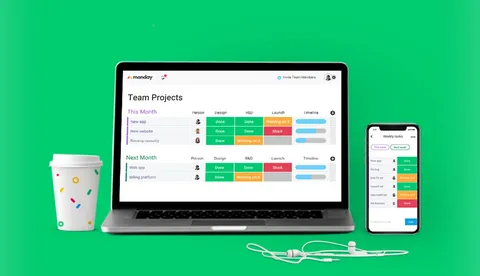
Project Management OS: Platforms like monday.com or Asana that serve as the "central hub" for task automation.
-
Communication Integration: Connecting your workflow to Slack or Microsoft Teams for instant notifications.
Workflow Automation in Marketing and Sales
The marketing department is often the first to benefit from automation. By automating the lead nurturing funnel, you can ensure that no prospect falls through the cracks.
Example Workflow:
-
Trigger: User downloads a whitepaper.
-
Action 1: System sends a personalized "Thank You" email.
-
Action 2: Lead is categorized by industry in the CRM.
-
Action 3: Sales rep is notified if the lead meets specific "hot lead" criteria.
Streamlining Finance and HR Operations
Back-office operations are often riddled with paper-heavy, slow processes. Workflow automation can transform these departments:
-
HR: Automating the document collection and software provisioning for new employees.
-
Finance: Using OCR (Optical Character Recognition) to read invoices and automatically route them for approval.
Best Practices for Setting Up Your First Workflow
Before you "turn on" an automation, follow these steps:
-
Map the Manual Process: Draw the workflow on paper or a digital whiteboard first.
-
Start Small: Automate one simple task before building a complex multi-step sequence.
-
Test Thoroughly: Run the workflow with "dummy data" to ensure the logic works as intended.
-
Monitor and Tweak: Check back after 30 days to see if the automation is actually saving time.
Overcoming Resistance to Change
One of the biggest hurdles is the "fear of the machine." Leadership must communicate that workflow automation is a tool for empowerment. Involve team members in the design phase; when employees build their own automations, they are more likely to champion the technology.
The Future of Automation: Hyperautomation
As we look toward the end of the decade, the trend is moving toward Hyperautomation—the use of multiple technologies (AI, Machine Learning, RPA) to automate as many business processes as possible. This creates a "self-healing" organization that identifies and fixes its own inefficiencies.
Conclusion
Embracing workflow automation is the most effective way to "buy back" time for your organization. By moving away from rigid, manual processes and toward agile, automated systems, you foster an environment where productivity thrives and human potential is maximized. The goal is simple: let the machines handle the logic, so the humans can handle the vision.
Frequently Asked Questions (FAQs)
Does workflow automation require coding skills?
No. Many modern platforms are "no-code," meaning you can build complex workflows using a visual drag-and-drop interface.
Is automation expensive for small businesses?
Not necessarily. Many tools offer "freemium" tiers that allow small businesses to automate their most critical tasks for a low monthly cost.
What is the difference between RPA and workflow automation?
Workflow automation typically moves data between APIs, while RPA (Robotic Process Automation) "mimics" human actions on a screen, like clicking buttons in legacy software that doesn't have an API.

 English
 Arabic
 French
 Spanish
 Portuguese
 Deutsch
 Turkish
 Dutch
Dutch
 Italiano
 Russian
 Romaian
 Greek
Greek